By GEARITUP.ai Editorial Team * Last Updated: May 2026 * ★★★★½ 4.5 / 5.0
This post contains affiliate links; we may earn a small commission, at no additional cost to you.
Your Team Is Busy — But Are They Actually Moving Forward?
There’s a difference between being busy and being productive. Most small business teams are drowning in tasks — but without a system that tracks what’s happening, who’s responsible, and when things are due, “busy” rarely translates into progress.
Missed deadlines. Duplicated work. No one sure who owns what. Tasks living in email threads, Slack DMs, and someone’s notebook. These aren’t just frustrations — they’re revenue leaks. Every project that slips, every client deliverable that’s late, every internal process that lives only in someone’s head is costing your business real money.
The right project management software fixes all of this. It creates a single source of truth for every task, deadline, and deliverable. It gives your team clarity on priorities. It automates status updates so you stop chasing people for them. And it gives you — the business owner — a bird’s-eye view of everything happening in your company at any moment.
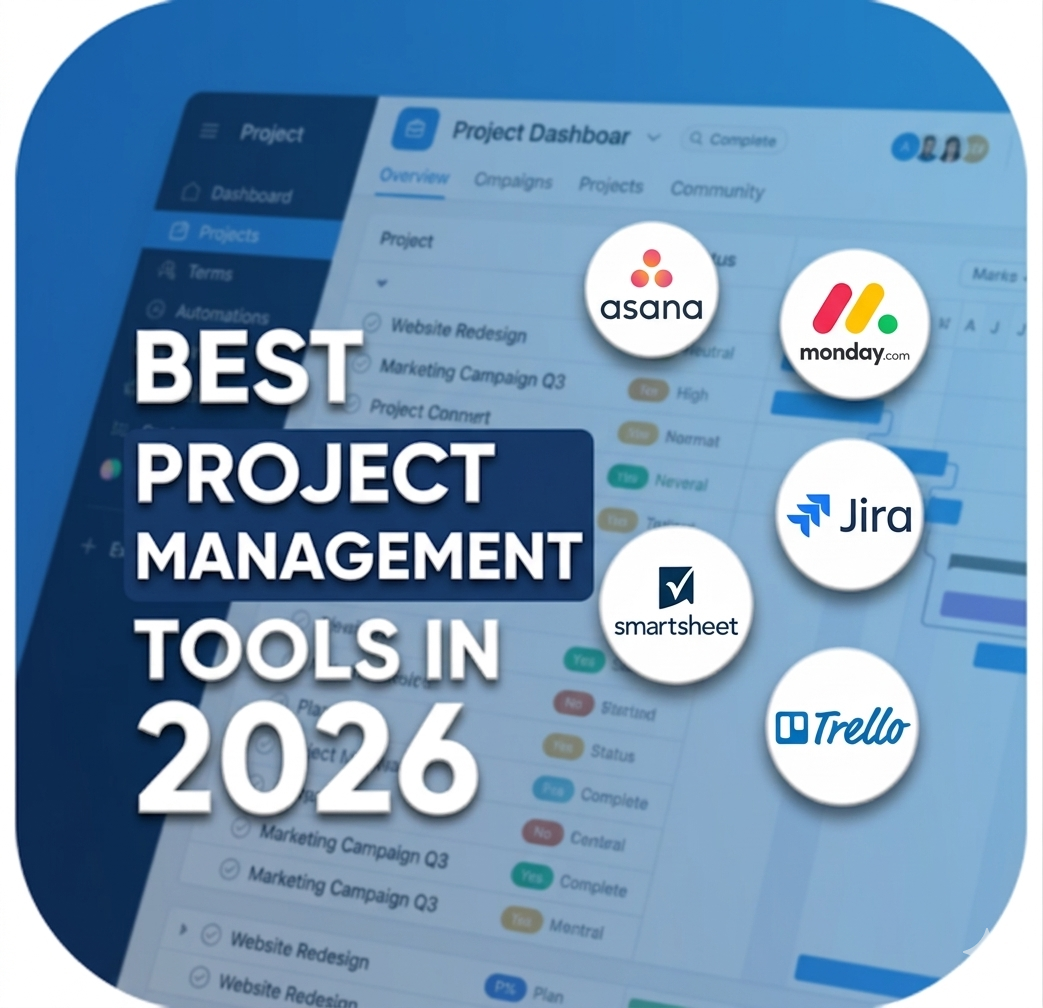
We spent 90 days running real projects through the five most popular project management tools for small business. Here’s the honest truth about which ones deliver — and which ones are more hype than substance.
5 Top Project Management Software — 2026 Rankings at a Glance
Full reviews with pros, cons, and our expert take follow below. Here’s the snapshot:
| Rank | Tool | Star Rating | Best At | Starting Cost |
| #1 | monday.com | ★★★★½ 4.8/5 | Visual workflows, team collaboration, and flexibility | Free (2 seats) / From $9/seat/mo |
| #2 | Asana | ★★★★½ 4.6/5 | Task management, team accountability, and cross-project reporting | Free / From $10.99/user/mo (Premium) |
| #3 | ClickUp | ★★★★☆ 4.4/5 | All-in-one workspace with docs, goals, time tracking, and projects | Free / From $7/user/mo (Unlimited) |
| #4 | Trello | ★★★★☆ 4.1/5 | Visual Kanban boards for small teams and simple workflows | Free / From $5/user/mo (Standard) |
| #5 | Notion | ★★★★☆ 4.2/5 | Combining project management with wikis, docs, and databases | Free / From $10/user/mo (Plus) |
| ⚠️ Pricing Disclaimer All prices shown reflect annual billing rates as of May 2026. Project management software pricing changes frequently. Monthly billing is typically 15–25% higher than annual rates. Per-seat pricing multiplies with team size — always model your actual cost based on your team’s headcount. Verify current pricing on each vendor’s official website before purchasing. GEARITUP.ai is not responsible for discrepancies. |
Why You Can Trust GEARITUP.ai
GearItUp.ai reviews AI tools and software for small businesses. Independent. No vendor bias.
From AI writing tools and CRMs to Accounting and Project Management — if it touches your tech stack, we’ve probably looked at it.
How We Test
We don’t do quick takes. Every review includes:
✅ Deep dives — not just demos
✅ User sentiment across the Web
✅ Side-by-side competitor comparison
✅ Honest verdict — including when to skip it
What Project Management Software Actually Does — and Why It Matters in 2026
Project management software is the system that organizes how work gets planned, assigned, tracked, and completed across your team. At its core, it answers three questions every business needs answered at all times: What needs to happen? Who is responsible? When does it need to be done?
But the best tools in 2026 go far beyond simple to-do lists. Here’s what modern project management software actually does for your business:
- Centralizes all work in one place — tasks, deadlines, files, and conversations all in a single system
- Automates repetitive workflows — status updates, notifications, task assignments, and approvals happen without manual effort
- Provides multiple views of the same data — Kanban for visual thinkers, Gantt for deadline trackers, list view for detail-oriented teams
- Tracks workload across your team — so managers can see who’s overloaded and who has capacity before a deadline slips
- Connects to the tools you already use — Slack, Google Drive, Zoom, email, and hundreds of other apps
- Reports on project health in real time — budget, timeline, completion rate, and team velocity at a glance
The result? Your team spends less time talking about work and more time doing it. Deadlines get hit. Clients get better results. And you get the visibility to run your business instead of reacting to it.
Who Is Project Management Software Built For?
These tools are ideal for:
- Small business owners managing 2–50 person teams who need visibility across all active work
- Agency and creative teams running client projects with deliverables, revisions, and deadlines
- Marketing teams managing campaign calendars, content pipelines, and launch timelines
- Product and development teams managing sprints, bug queues, and feature releases
- Operations teams building and optimizing internal processes and standard operating procedures
- Remote and hybrid teams that need a shared digital workspace to stay aligned across time zones
- Freelancers and solopreneurs managing multiple client projects simultaneously
| ⏳ Who Should Look at Enterprise Solutions Instead If you manage 500+ team members, require complex resource management across dozens of concurrent projects, need deep ERP or financial system integration, or operate under strict project governance frameworks (PMI/PRINCE2) — consider enterprise platforms like Microsoft Project, Smartsheet Enterprise, or Planview. The tools in this review are purpose-built for the 1-to-100 person business operating environment. |
#1: monday.com — Best Overall Project Management Tool for Small Business
Overall Rating: ★★★★½ 4.8 / 5.0 | Best Overall Project Management Tool for Small Business
| ✅ PROS | ⚠️ CONS / WATCH OUTS |
| Incredibly visual and flexible — build boards for any process, not just projects | Minimum 3-seat purchase on paid plans — solo operators pay for seats they don’t use |
| Drag-and-drop interface that most team members master within hours | Can become cluttered and overwhelming if boards aren’t structured thoughtfully |
| 200+ pre-built workflow templates covering every industry and use case | Gantt chart and time-tracking features require higher-tier plans |
| Powerful automation builder — no coding required to save hours every week | Free plan is very limited — real value starts at the Standard tier ($12/seat/mo) |
| Multiple project views: Kanban, Gantt, calendar, timeline, and workload | |
| Built-in dashboards that roll up data from multiple boards automatically | |
| Deep integration library with 200+ tools including Slack, Zoom, and HubSpot | |
| monday CRM, Dev, and Service expand into a full work OS as you grow |
Why GEARITUP.ai Recommends monday.com
monday.com earns the top spot because it’s the rare project management tool that adapts to how your team actually works — instead of forcing your team to adapt to it. The visual board system can model anything from a marketing calendar to a client onboarding pipeline to a product launch sprint. The automation builder alone saves our test team over 5 hours per week in status updates and notifications. For small businesses that need flexibility, beautiful dashboards, and a tool their whole team will actually enjoy using, monday.com is the clear #1 choice in 2026.
#2: Asana — Best Project Management Tool for Task-Heavy Teams
Overall Rating: ★★★★½ 4.6 / 5.0 | Best Project Management Tool for Task-Heavy Teams

| ✅ PROS | ⚠️ CONS / WATCH OUTS |
| Excellent task management with subtasks, dependencies, and custom fields | Can feel complex for very small teams or simple, straightforward projects |
| Portfolio view lets you track progress across multiple projects simultaneously | Time tracking is not built-in — requires a third-party integration |
| Timeline (Gantt) view available from the Premium plan for deadline management | The UI, while powerful, has a steeper learning curve than monday.com |
| Goals feature links daily tasks directly to company-level objectives | Advanced features (custom rules, portfolios, goals) sit behind the paid tiers |
| Generous free plan supports up to 15 users with solid core functionality | |
| Best-in-class project templates for marketing, design, HR, and operations | |
| Strong reporting with workload views to prevent team member burnout | |
| 300+ native integrations with best-in-class customer support |
Why GEARITUP.ai Recommends Asana
Asana is the project management workhorse for teams that run on tasks and deadlines. Where monday.com excels at visual flexibility, Asana wins on structured accountability — every task has an owner, a due date, and a clear place in the project hierarchy. The Goals feature is a standout: it connects every team member’s daily work to the company’s quarterly objectives, which is powerful for small business owners trying to keep everyone rowing in the same direction. If your team manages multiple simultaneous projects with lots of moving parts, Asana’s portfolio view and workload reporting are game-changers.
#3: ClickUp — Best Project Management Tool for Maximum Customization
Overall Rating: ★★★★☆ 4.4 / 5.0 | Best Project Management Tool for Maximum Customization

| ✅ PROS | ⚠️ CONS / WATCH OUTS |
| Most generous free plan in the category — unlimited tasks and members | Steep learning curve — the sheer number of features can overwhelm new users |
| Built-in time tracking, docs, whiteboards, chat, and goals — one subscription replaces many | Performance can lag on very large workspaces with thousands of tasks |
| Highly customizable — 15+ project views including Gantt, mind map, and workload | Mobile app is functional but not as polished as Asana or monday.com |
| Powerful automation engine with 50+ pre-built trigger/action combinations | ClickUp Brain (AI) is an add-on at $5/user/mo — adds to total cost |
| AI assistant (ClickUp Brain) available for writing, summarizing, and task generation | |
| ClickUp Docs replaces Notion or Confluence for many small business teams | |
| Exceptional value — the Unlimited plan at $7/user/mo covers 90% of use cases |
Why GEARITUP.ai Recommends ClickUp
ClickUp is the power tool for small business owners who are tired of paying for five separate apps. Docs, tasks, time tracking, goals, whiteboards, and chat — all in one platform at $7 per user per month. The free plan alone is more capable than the paid plans of many competitors. We recommend ClickUp specifically for tech-savvy teams and solo operators who want to centralize their entire business workflow. Yes, there’s a learning curve — but once configured, ClickUp can genuinely replace Asana, Notion, Toggl, and Slack for many small businesses, at a fraction of the combined cost.
#4: Trello — Best Project Management Tool for Simplicity & Speed
Overall Rating: ★★★★☆ 4.1 / 5.0 | Best Project Management Tool for Simplicity & Speed

| ✅ PROS | ⚠️ CONS / WATCH OUTS |
| Simplest onboarding of any tool on this list — functional in under 10 minutes | Not built for complex projects — lacks native Gantt, dependencies, and portfolios |
| Beautiful Kanban board interface that anyone can understand immediately | Scales poorly for larger teams or multi-project environments |
| Generous free plan with unlimited cards, up to 10 boards, and unlimited users | Reporting and analytics are minimal compared to Asana, monday.com, or ClickUp |
| Power-Ups add functionality (calendar, time tracking, automation) as needed | Power-Ups can become expensive and disjointed as your needs grow |
| Butler automation handles repetitive card actions without any coding | |
| Perfect for visual thinkers — card covers and color labels make status clear at a glance | |
| Best mobile app experience in this category — full functionality on any device |
Why GEARITUP.ai Recommends Trello
Trello earns its place on this list by being the most approachable project management tool ever built. If you’ve never used project management software before, Trello is where you should start. The Kanban board model is universally intuitive, and the free plan is genuinely useful for small teams managing straightforward workflows. For solopreneurs, freelancers, and small teams running simple recurring processes — content calendars, client pipelines, launch checklists — Trello delivers everything you need without the complexity you don’t. When your needs outgrow it, the upgrade path to monday.com or Asana is natural.
#5: Notion — Best Project Management Tool for Knowledge-Driven Teams
Overall Rating: ★★★★☆ 4.2 / 5.0 | Best Project Management Tool for Knowledge-Driven Teams
| ✅ PROS | ⚠️ CONS / WATCH OUTS |
| Unique combination of project management + wiki + database in one platform | Not a traditional PM tool — requires setup time to configure for project management |
| Highly flexible — build custom databases, dashboards, and workflows without code | No native Gantt chart — workarounds exist but feel clunky |
| Notion AI assists with writing, summarizing, and generating project content | Customer support is limited — primarily documentation and community-based |
| Beautiful, minimal UI that teams enjoy using daily | Real-time collaboration can feel slow compared to dedicated PM platforms |
| Free plan supports unlimited pages and blocks for individual users | |
| Excellent for building a company knowledge base alongside project tracking | |
| API access and Zapier/Make.com integration for automation |
Why GEARITUP.ai Recommends Notion
Notion occupies a unique space in the project management world — it’s less a task manager and more a connected workspace that can contain your projects, documentation, meeting notes, SOPs, and company knowledge all in one place. For knowledge-driven small businesses — agencies, consultancies, content teams, and SaaS startups — Notion removes the friction of context-switching between your project tracker and your wiki. The AI features are genuinely useful for drafting project briefs and meeting summaries. If your team spends as much time creating and sharing knowledge as executing tasks, Notion is the most powerful workspace tool in 2026.
Overall Project Management Software — Category Pros & Cons
Across all five platforms, here’s the honest big picture of what’s great and what to watch out for in the small business project management software market:
| ✅ PROS | ⚠️ CONS / WATCH OUTS |
| Free plans across most platforms let you start with zero financial commitment | Per-seat pricing compounds fast — a 10-person team easily hits $100–$200+/month on mid-tier plans |
| Multiple project views (Kanban, Gantt, list, calendar) suit different working styles across one team | Feature overload is real — most tools have more capability than small teams will ever need or use |
| Automation eliminates repetitive status updates, assignments, and notifications — saving real hours weekly | Setup time is underestimated — a proper rollout takes days, not hours, for most organizations |
| Centralized task tracking eliminates the ‘lost in email’ problem that kills project momentum | Team adoption is the #1 failure point — the best tool in the world fails if the team won’t use it |
| Mobile apps give team members and managers full project visibility from anywhere | Free plans have meaningful limitations — file storage caps, feature walls, and seat restrictions |
| Integration libraries connect your PM tool to your entire existing tech stack | Gantt and timeline views are often locked behind paid tiers across most platforms |
| Templates accelerate setup — most tools have 100+ ready-to-use project templates | Data migration between tools is painful — choose carefully before committing your project history |
| AI assistants are increasingly built-in — writing briefs, summarizing meetings, and suggesting next steps | Notification overload is a common complaint — requires deliberate configuration to manage effectively |
Head-to-Head Competitor Comparison
Legend: ✅ Excellent / Included ⚠️ Limited / Add-on Cost ❌ Not Available / Weak
| Feature | monday.com | Asana | ClickUp | Trello | Notion |
| Free Plan | ✅ 2 seats | ✅ Up to 15 users | ✅ Unlimited members | ✅ Unlimited users | ✅ Individual free |
| Kanban View | ✅ Excellent | ✅ Excellent | ✅ Excellent | ✅ Best-in-class | ⚠️ Database-based |
| Gantt / Timeline | ✅ Paid plans | ✅ Premium+ | ✅ All plans | ❌ Not native | ❌ Not native |
| Calendar View | ✅ Paid plans | ✅ Premium+ | ✅ All plans | ⚠️ Power-Up | ✅ Built-in |
| Workload / Capacity | ✅ Paid plans | ✅ Premium+ | ✅ All plans | ❌ Not available | ❌ Not available |
| Built-in Time Tracking | ⚠️ Paid add-on | ❌ Third-party only | ✅ All plans | ⚠️ Power-Up | ❌ Third-party |
| Automation Engine | ✅ Excellent | ✅ Premium+ | ✅ Excellent | ✅ Butler (basic) | ⚠️ Limited |
| AI Assistant | ⚠️ Paid add-on | ⚠️ Paid add-on | ✅ Paid add-on $5 | ❌ Not available | ✅ Paid add-on |
| Docs / Wiki Built-in | ❌ Separate tool | ❌ Separate tool | ✅ Built-in | ❌ Not available | ✅ Best-in-class |
| Portfolio / Multi-project | ✅ Paid plans | ✅ Business+ | ✅ All plans | ❌ Not native | ⚠️ Manual |
| Goals / OKR Tracking | ⚠️ Paid plans | ✅ All plans | ✅ All plans | ❌ Not available | ⚠️ Manual |
| Integration Library | ✅ 200+ | ✅ 300+ | ✅ 200+ | ⚠️ Power-Ups | ⚠️ 100+ |
| Mobile App Quality | ✅ Excellent | ✅ Excellent | ⚠️ Decent | ✅ Best-in-class | ⚠️ Decent |
| Ease of Onboarding | ✅ Very easy | ⚠️ Moderate | ⚠️ Steep curve | ✅ Easiest of all | ⚠️ Moderate |
| Best Value Tier | Standard $12/seat | Premium $10.99/user | Unlimited $7/user | Standard $5/user | Plus $10/user |
| Small Business Fit | ★★★★★ | ★★★★ | ★★★★ | ★★★★ | ★★★★ |
GEARITUP.ai Scorecard — All 5 Tools Rated (2026)
Every tool receives the same standardized scoring across five categories that matter most to small business owners. Scores are based on 90 days of hands-on use and are never influenced by advertising or affiliate arrangements.
| Scoring Category | monday.com | Asana | ClickUp | Trello | Notion |
| Ease of Use | ★★★★★ 5/5 | ★★★★☆ 4/5 | ★★★☆☆ 3/5 | ★★★★★ 5/5 | ★★★☆☆ 3/5 |
| Features & Capabilities | ★★★★★ 5/5 | ★★★★★ 5/5 | ★★★★★ 5/5 | ★★★☆☆ 3/5 | ★★★★★ 5/5 |
| Value for Money | ★★★★☆ 4/5 | ★★★★☆ 4/5 | ★★★★★ 5/5 | ★★★★★ 5/5 | ★★★★☆ 4/5 |
| Support & Resources | ★★★★★ 5/5 | ★★★★★ 5/5 | ★★★★☆ 4/5 | ★★★★☆ 4/5 | ★★★☆☆ 3/5 |
| Small Business Fit | ★★★★★ 5/5 | ★★★★☆ 4/5 | ★★★★☆ 4/5 | ★★★★☆ 4/5 | ★★★★☆ 4/5 |
| ⭐ OVERALL RATING | ★★★★½ 4.8/5 | ★★★★½ 4.6/5 | ★★★★☆ 4.4/5 | ★★★★☆ 4.1/5 | ★★★★☆ 4.2/5 |
| 🏆 The Winner monday.com earns the highest overall score in our 2026 project management testing — topping or tying the field in four of five scoring categories. Its combination of visual flexibility, powerful automation, and the most enjoyable team experience makes it our clear #1 recommendation for small business project management. If you only try one tool from this list, start with monday.com. |
Next Steps to Gear It Up!
If you’re serious about building your business online, with Content, Leads and Payment collection, these 3 tools matter most. Here’s how to choose the Best Ones…